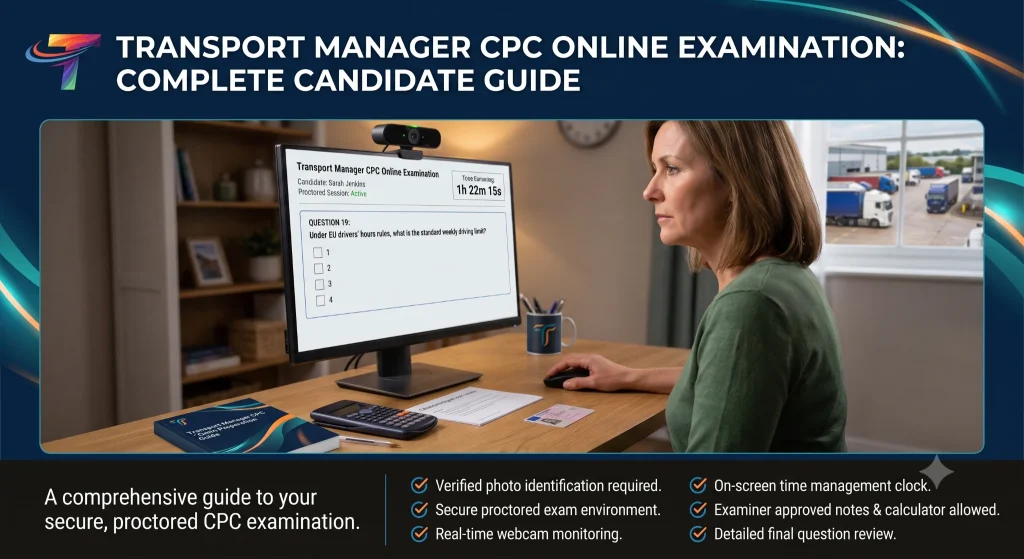
Transport Manager CPC Exams Online: A Candidate Guide
Preparing for the Skills and Education Group Awards Transport Manager CPC examinations involves more than learning the syllabus. This guide explains the assessments, system checks, room setup, examination conditions, technical-incident reporting and results process.
Scope: this page focuses on the Road Haulage qualification and Transcom National Training’s online examination arrangements. Passenger Transport candidates must check the guidance for their own qualification. Paper-based examination instructions must not be treated as permission to use the same materials in an online-proctored sitting.

At a glance: the qualification has a multiple-choice assessment and a case-study assessment, and you must pass both. Multiple choice is closed book; the case study is open book using the written reference material authorised for that assessment. Both are formal examinations, not on-demand tests.
How to use this guide: read it alongside SEG Awards’ qualification-specific guidance, EX6 and the instructions issued for your sitting. Preparation tips on this page are Transcom guidance, not additional permissions from the awarding body. Check your examination email for your date and start time. Ask Transcom to resolve unclear or conflicting instructions before examination day.
Important — blank paper, pens, pencils and other desk items: this page does not grant permission to use them. Read the permitted-materials section and obtain confirmation of the applicable SEG permission before relying on an item in either online assessment. “Open book” is not blanket permission for stationery or electronic devices.
Can You Sit the Transport Manager CPC Exams Online?
Yes. Candidates booking through Transcom National Training can sit the Skills and Education Group Awards Transport Manager CPC examinations online, from a suitable private location within the UK. The examination is accessed through the online assessment platform, with Integrity Advocate used for remote proctoring and identity checks.
You can use a suitable room at home or work rather than travelling to a physical examination centre. The room, equipment and conduct requirements still apply throughout the assessment.
Recording is not the same as live approval. EX6 describes record-and-review proctoring, using recordings of the session. Do not assume that a person will stop you immediately if something is wrong, or that being allowed to continue proves your desk or conduct has been approved.
Online does not mean on demand. Assessments take place on scheduled dates and must be booked before the relevant registration deadline.
Before choosing a sitting, check the Transport Manager CPC examination dates and registration windows and the awarding body’s Road Haulage qualification page. Candidates who have finished studying can view the online exam-only booking options.
What Happens Before the Online Examination?
You must complete the mandatory Integrity Advocate system check using the link supplied for your examination. It covers equipment, internet access, identification and your examination space, and provides access to a mock-test environment. The check can be repeated when a problem needs to be corrected.
What do you need for the system check?
- A suitable desktop or laptop with a working camera and microphone
- A reliable internet connection
- Only one connected display or screen
- Acceptable, valid photographic identification showing your full name and a clear photograph
A passport or photocard driving licence is an example of photographic identification named in SEG’s learner guide. Your name must match your examination registration. Contact Transcom well in advance if you do not have suitable identification or the details do not match; do not assume an alternative will be accepted.
Complete the system check early. SEG’s July 2025 learner guide requires completion at least one hour before the examination and recommends doing it the day before. The examination link is not issued until the mandatory check has been completed.
Which browser should you use?
The assessment is accessed through a supported browser. Follow the current browser and permissions instructions in your examination communications and on SEG’s information-for-learners page. Test the actual computer and connection you intend to use.
Allow the required camera, microphone and screen-sharing permissions. Disconnect additional monitors before the check and again before the examination. Passing an earlier check does not remove the need for a compliant setup on the day.
What time do the examinations start?
Use the date and start time in your individual examination email. Do not assume a standard timetable, particularly when booking a standalone sitting or an approved adjustment. Contact Transcom promptly if the time is missing or conflicts with your booking information.
Allow time for the pre-examination checks and be ready at the appointed time. Late entry may not be permitted.
The waiting-page countdown is not live. SEG’s learner guide says to refresh the waiting page, or press F5, to update the time remaining before entry. This is not an instruction to refresh an active examination.
The learner guide says time is built into the system for the pre-examination checks.
Check your inbox and junk folder. Contact Transcom as soon as expected examination communications are missing. Do not wait until the final hour to resolve a missing check link, identification problem or examination link.
Which Transport Manager CPC Assessments Must You Pass?
The Road Haulage qualification has two assessment components: the multiple-choice assessment and the case-study assessment. You must pass both to gain the full qualification.
For Transcom’s SEG examination bookings, both components must ultimately be passed through the same awarding organisation. Tell us before booking if you already hold a component result from another awarding body. Road Haulage and Passenger Transport are separate qualification routes.
| Assessment | Time allowed | Questions or marks | Pass mark | Reference materials |
|---|---|---|---|---|
| Multiple choice | 2 hours | 60 questions; one answer selected per question | Normally 42 out of 60 (70%). SEG reserves adjustment for exceptional circumstances. | Closed book |
| Case study | 2 hours 15 minutes | 60 marks | Set for the sitting during SEG’s awarding process; not a guaranteed fixed threshold. | Open book, subject to the materials authorised for that assessment |
Do not treat 30 out of 60 as a guaranteed case-study pass. The final threshold is determined by the awarding body for the sitting.
For a separate discussion of revision commitment and preparation, read How Hard Is the Transport Manager CPC Exam?
Can You See the Online Exam Format Before Exam Day?
Yes. SEG links Road Haulage online practice assessments from its qualification page. Use the XAMS links below to familiarise yourself with the presentation and controls before examination day.
Road Haulage Multiple-Choice Practice
Practise selecting answers and using the question-navigation controls.
Road Haulage Case-Study Practice
Practise using the case-study information, questions and answer fields.
Practice is not an official qualification result. These resources do not replace the mandatory system check or the live examination instructions. Do not assume that permissions in a practice environment apply to your proctored examination.
If a practice link changes, use the online learning resources on the official Road Haulage qualification page.
How Does the Multiple-Choice Examination Work?
The Road Haulage multiple-choice assessment contains 60 questions and allows two hours. SEG’s sample paper requires one answer from the four options for each question. The normal pass mark is 42 out of 60.
It is a closed-book assessment. Printed study notes, handwritten revision notes and textbooks are not permitted. Do not access websites, saved reference files, messaging services or other unauthorised assistance.
Blank paper is a separate question from revision notes. Do not infer that blank paper, a pen or a pencil is permitted just because it contains no pre-written information. Use the permitted-materials guidance below.
The questions assess knowledge across the Road Haulage syllabus. Prepare across the qualification rather than relying only on topics encountered in your own operation.
Transcom’s multiple-choice preparation advice
- Read the whole question before selecting an answer.
- Pay attention to words such as must, may, maximum, minimum and not.
- Select the single answer required by the question instructions.
- Do not spend too long on one difficult question.
- Use the assessment’s navigation controls to review uncertain questions before submission.
- Check for unanswered questions and accidental selections.
How Does the Case-Study Examination Work?
The Road Haulage case-study assessment allows two hours and 15 minutes and carries 60 marks. It presents a transport-related scenario and asks you to apply your knowledge to the facts provided.
Depending on the questions set, you may need to identify compliance problems, explain procedures, recommend actions, complete calculations or analyse an undertaking’s operational and financial position.
The assessment is open book, but you must use only the written reference material authorised for the case study. Permission to consult reference material does not automatically authorise blank paper, pens, pencils or a personal calculator. Check the materials section before preparing your desk.
Answer the question actually set. Read the command word, the number of responses requested and the marks available. For example, an instruction to explain needs more than a list of labels. Follow the question’s requirements rather than assuming a fixed number of words or sentences will earn a mark.
Show your workings in your submitted answer
Include the calculation steps the question requires in the relevant answer field, not only in a rough-work area. Before submission, check that the examiner will receive the figures, units and workings you want marked.
Transcom recommends practising typed workings, use of the examination calculator and navigation between the case-study material and answer fields before the live assessment.
What Can You Have on Your Desk or Use During the Online Exams?
Read the rules for the assessment and delivery method you are actually taking. Paper-based, centre-invigilated on-screen and online-proctored examinations are covered by separate sections of EX6.
The rule for physical desk items
EX6 version 1.2, section 28.1(r), lists paper, pens/pencils, calculators, books, dictionaries and other items as prohibited on the desk or in use unless “specifically permitted and stated within the qualification guide”.
This includes blank paper and unused stationery. A pencil is not an automatic exception to the pen restriction.
This guide does not give blanket permission for blank paper, pens, pencils, personal calculators or dictionaries in either online component. Obtain written confirmation of the applicable SEG permission before examination day. Do not assume that the case study’s open-book format settles the separate question of rough-working stationery.
Multiple-Choice Exam
Closed book: do not have revision notes, textbooks or other unauthorised reference material available.
Use the assessment’s own on-screen tools. Any permission for a physical dictionary, calculator, blank paper or writing implement must be established separately for the online MCQ.
Case-Study Exam
Open book: prepare only the written reference material authorised for your case-study sitting.
Do not treat that permission as approval for blank paper, a pen or pencil, a physical calculator, a dictionary or another device. Confirm these separately where you intend to use them.
On-screen calculator and notes
EX6 states that an on-screen calculator and notes section are available during online-proctored examinations. Use those examination tools rather than opening another application. Practise typed calculations beforehand, and put workings that form part of an answer in the answer field.
The desk scan is not a permission check
Include every permitted physical item in the required desk scan. Showing an item does not itself authorise it. Nor should the absence of a warning be treated as approval.
Resolve uncertainty before your sitting
Ask Transcom for the written permitted-materials instructions for your exact qualification, component and online sitting. Where an item is allowed, check any associated requirements for displaying it during the scan, using it and dealing with it after the assessment. Do not rely on instructions intended for a paper examination.
Paper-based specimen papers are different. A specimen MCQ may refer to an HB pencil and answer sheet, while a paper case-study booklet may instruct candidates to use ink. Those instructions relate to completing those paper documents; they are not a separate authorisation for stationery in an online-proctored examination.
No phone calculator or other unauthorised digital reference. Do not use another device, website or application to look up information or perform calculations during the assessment. Use only resources and assistance explicitly authorised for your sitting.
How Should You Organise Your Case-Study Notes?
For the case study only: first confirm which written reference materials are authorised for your sitting. The suggestions below are preparation advice, not permission to take additional items into the examination.
A large pile of material is not automatically useful. Under time pressure, poorly organised notes can waste more time than they save.
The best approach is to use the same printed study notes throughout your preparation and practise finding information quickly. Organise them around the syllabus rather than trying to guess the exact subject of the case study.
- Use clearly labelled subject dividers.
- Create a detailed contents page or index.
- Keep important formulas and calculation methods together.
- Highlight individual limits, tables and procedures rather than whole pages.
- Use quick-reference pages for drivers’ hours, maintenance, finance, operator licensing, weights and international documentation.
- Remove duplicated or outdated information because it creates confusion under examination pressure.
- Complete timed practice using the same notes you intend to take into the exam.
Study notes should support your knowledge, not replace it. You still need to understand the question before you can locate and apply the correct information.
What Equipment and Room Setup Do You Need?
You are responsible for preparing an appropriate room, equipment and connection. Complete the system check using the setup you intend to use for the examination.
Computer, browser and connection
- Use a suitable desktop or laptop with a working webcam and microphone.
- Use one connected display only, with additional monitors disconnected.
- Use a supported browser and enable the permissions required by the assessment.
- Use a reliable connection and close unnecessary programs and browser windows.
SEG’s learner guidance requires sharing your entire screen with the examination system. This is different from running an unrelated screen-sharing or remote-access application. Close Zoom, Teams and other unnecessary communication or camera applications before the session.
Screen resolution
SEG recommends 1366 × 768 for most examinations and prefers 1920 × 1024 or higher. Where resource documents appear in a side panel, its guidance requires a screen at least 1500 pixels wide. The 1366 × 768 figure is a recommendation, not a universal absolute minimum.
During practice and the system check, make sure that the questions, resource documents, answer fields and calculator are visible and usable. Do not wait until the live assessment to discover a display problem.
Workplace networks and browser permissions
A wired connection is preferable where available. With Wi-Fi, sit near the router and avoid competing downloads or streaming. Ask workplace IT staff to check SEG’s published network-access requirements before examination day. On a Mac, follow the required screen and system-audio recording permissions for your browser.
Photographic identification
Have acceptable, valid photo ID ready. It must show your name and a clear photograph, and the name must match your registration. Resolve any mismatch or uncertainty with Transcom before the sitting.
The examination room
- Use a quiet, private and sufficiently lit room, with no television, music or other background disturbance.
- Make sure no other person is present or enters during the assessment.
- Remove information on the desk, walls or elsewhere that could give unauthorised assistance.
- Complete the required 360-degree room and workspace scan, following the demonstration and prompts.
- Show all authorised physical items during the desk scan.
- Stay in full view of the webcam and face the screen as required by the instructions.
Do not assume repeated downward or off-screen viewing will be acceptable simply because some reference material is allowed. Ask how permitted materials must be positioned and consulted where this is unclear.
Other examination conditions
- Wear appropriate clothing throughout the assessment.
- Do not wear headphones or earbuds.
- Do not smoke or vape.
- Any permitted drink must be in a clear bottle without labels, in line with EX6.
- Do not use a phone or other communication device unless explicitly authorised, including for any technical-assistance procedure.
Transcom booking arrangements: you must be physically within the United Kingdom. A VPN does not make an overseas sitting eligible. Check any workplace VPN or managed-network setup with Transcom before the sitting rather than attempting to bypass location or security restrictions.
Online Exam Setup Checklist
Use this as a personal preparation aid; ticking a box does not approve your setup or submit anything to Transcom.
What Happens on Examination Day?
- Confirm that the mandatory check has been completed and the examination-link email has arrived.
- Check your personal examination date, start time and any approved arrangements.
- Prepare the room and remove all unauthorised desk items.
- Check the camera, microphone, internet connection and single-screen setup.
- Have your acceptable photographic identification ready.
- Open the examination link in time to complete the pre-examination steps.
- Read the examination-specific rules carefully, complete the identity and room checks, and share the entire screen when prompted.
- Remain visible and keep the examination in the required full-screen mode.
- Follow any system warnings and authorised technical-assistance instructions.
- Review your answers and use the assessment’s submission procedure.
- End the session and close the browser only after completing the assessment as instructed.
Do not leave the room during an active examination unless specifically authorised. Discuss any expected need for a break with Transcom in advance. In a genuine emergency, put safety first and report the interruption to the centre as soon as possible.
As practical preparation, use the toilet before starting and tell other people at the property not to enter or interrupt you. A routine break must not be assumed to be permitted.
What If Something Goes Wrong During the Online Exam?
A technical fault is not an automatic exemption from examination conditions. Its cause and effect need to be reviewed. Transcom cannot promise that an interrupted or incompletely recorded session will be accepted.
Follow the authorised support instructions. Do not bypass the camera, disable recording or assume that continued access to the questions proves proctoring is working. The suggestions below are incident-reporting guidance, not permission to continue an unsecured assessment.
What if the connection drops?
Unless there is an emergency, remain in the scanned room and in view of the camera while following any on-screen recovery or technical-support instructions. Do not bring in another person, open a search engine or switch to an unauthorised device to continue answering.
Follow the platform or authorised support instructions on resuming. If the assessment cannot continue, report the problem to Transcom promptly using the support arrangements issued for the examination.
What if the webcam or microphone fails?
During the advance system check, correct permissions or arrange another compliant computer and repeat the check. Do not bypass an unsuccessful identity or room check.
During the live examination, follow the authorised technical-assistance route immediately. Do not treat a working question screen as confirmation that audio or video is still being recorded. Report any interruption even if you subsequently manage to submit.
What if the browser or examination page freezes?
Follow the displayed recovery or support instructions. Do not repeatedly refresh, exit or reopen the active assessment on your own initiative. Where the problem prevents continuation, contact Transcom through the examination’s support arrangements.
Who deals with the problem?
| Issue | Action |
|---|---|
| Active-session camera, microphone, connection or proctoring problem | Follow the authorised technical-assistance instructions supplied or displayed for your sitting; notify Transcom promptly of any incident. |
| Missing link, incorrect registration or identification mismatch | Contact Transcom before the examination wherever possible. |
| Session cannot be completed, or time or answers appear to have been lost | Report the facts to Transcom promptly so the incident can be referred to SEG. |
| Result, resit, void decision or appeal enquiry | Contact Transcom for the applicable next steps and deadlines. |
Do not assume the timer has paused or extra time will be added. Report the approximate time and duration of any interruption after the active session has ended, or through an authorised support route. Do not take out unapproved paper or a phone to make a record during the assessment.
What information should you provide afterwards?
- Your full name, qualification and assessment component
- The scheduled date and start time
- The approximate time and duration of the problem
- A description of the problem and any error message
- Whether the camera or audio appeared to stop, and what support instructions you followed
- Whether you reconnected, resumed and submitted, and whether time or answers appeared to be lost
Do not copy, photograph or reproduce secure examination questions. An incident account should describe the fault without disclosing assessment content.
Examination conditions and incident-reporting basis: [2] [3]
Can You Request Reasonable Adjustments?
Contact Transcom as early as possible if a disability, learning difficulty, medical condition or other access need may affect the assessment. Explain the support you need and provide any evidence requested.
Requests must follow SEG’s Access to Assessment policy and timescales. The centre is responsible for making the relevant request. An adjustment, including a planned break, must not be assumed to be approved merely because it has been requested.
Check that the arrangements confirmed for your examination match the approval. Report any discrepancy before you start. An unexpected problem on the day should be reported promptly; it is not a reason to award yourself extra time or alter the examination conditions.
Centre responsibilities, including adjustments and special consideration: [2]
When Are Results Released?
Use the results timetable confirmed for your own sitting. Do not assume that every multiple-choice result is released immediately or within a fixed number of days. Transcom will communicate the confirmed outcome received from Skills and Education Group Awards.
Any score shown immediately after submission is provisional. SEG’s learner guide says the proctored session is reviewed before the result is released to the training provider.
Check the examination dates guide and the information supplied with your booking. Ask Transcom if no results date has been confirmed.
What happens if you pass only one assessment?
For a Transcom resit booking, book the outstanding component rather than repeating a component already confirmed as passed. Tell us about your existing result first so that we can check the qualification route and awarding organisation.
- Book the Road Haulage multiple-choice assessment
- Book the Road Haulage case-study assessment
- Book both Road Haulage assessments
Before rebooking, review whether the problem was subject knowledge, examination technique, equipment or compliance with examination conditions, and address the relevant issue.
What if an examination is voided?
SEG makes the decision on examination validity. Contact Transcom promptly for the reason supplied and the applicable review or appeal route, deadline and any fee. Do not assume there is no appeal route, that a deadline remains open indefinitely, or that a review guarantees reinstatement.
Transcom can help establish the correct process, but cannot itself replace a void decision with a valid result. Follow any case-specific directions in SEG’s written notification.
Which Preparation Route Is Right for You?
Not every candidate needs the same level of support. Some need a full qualification course, while others have already studied and only need revision or an exam booking.
| Your situation | Suitable route |
|---|---|
| You want structured, tutor-led teaching | Five-day live online Road Haulage Transport Manager CPC course |
| You need flexible independent study | Transport Manager CPC home-study options |
| You have studied and need final exam technique | Transport Manager CPC Exam Preparation Day |
| You need help with one topic, calculation or case-study method | One-hour Transport Manager CPC study session |
| You are ready to sit without further training | Online exam-only booking |
Candidates starting from the beginning can compare all available routes on the Transport Manager CPC courses page.
What Happens After You Pass?
Passing the qualification proves that you have reached the required examination standard. It does not automatically mean you are ready to manage every aspect of a live transport operation without further development.
A nominated Transport Manager must exercise continuous and effective management. That includes oversight of maintenance, drivers’ hours, defect reporting, licence undertakings, records, disciplinary systems and corrective action.
Read You’ve Passed the Transport Manager CPC — Now the Real Responsibility Begins for an honest explanation of the professional responsibility that follows qualification.
Newly qualified and returning Transport Managers can also develop their practical systems and role confidence through the New Transport Manager Role Readiness Programme.
Sources: [9]
Frequently Asked Questions
Can I sit the Transport Manager CPC exams from home?
Yes. Transcom’s online examination bookings can be taken from a suitable private location within the UK, with the required equipment, identification and examination conditions.
Are online exams less formal?
No. Remote delivery changes the location and supervision method, not the requirement to follow the examination conditions.
Can I use study notes in the multiple-choice exam?
No. The Road Haulage multiple-choice assessment is closed book. A separate permission for another item must not be assumed.
Can I use reference material in the case-study exam?
The case study is open book using the written reference material authorised for that assessment. Confirm the permitted materials for your online sitting before preparing your desk.
Can I use blank paper and a pen or pencil in either online exam?
Do not assume so. Use them only where the applicable SEG qualification-specific permission has been confirmed for your online component. Open-book status is not blanket permission for rough-working stationery.
Can I use my own calculator or dictionary?
Do not assume a personal calculator or dictionary is authorised for an online sitting. Check the same examination-specific permission as for other physical desk items; see the materials section.
What can I use for rough calculations?
EX6 identifies an on-screen calculator and notes section for online-proctored examinations. Practise using the examination tools and include any workings required for marking in the submitted answer.
Does showing an item in the room scan mean it is approved?
No. The scan does not itself grant permission. Include authorised items in the scan, but do not treat the absence of a warning as approval.
Can I use a phone calculator or another website?
No, not as an unauthorised resource. Use only the tools and resources authorised for the examination, and follow the approved route for any technical assistance.
Can I leave the room during the examination?
Not unless specifically authorised. Arrange expected access needs in advance. In a genuine emergency, put safety first and report the interruption to Transcom as soon as possible.
When must I complete the mandatory system check?
SEG’s July 2025 learner guide requires completion at least one hour before the exam and recommends the day before. Complete it early enough to resolve problems.
When will I receive my examination link?
The learner guide says the link is issued after the mandatory system check. Check junk email and contact Transcom promptly when an expected link is missing.
Which browser should I use?
Use a browser supported by SEG for the assessment and follow the current setup instructions. Complete the system check on the computer and connection you plan to use.
What time does my examination start?
Follow the date and start time in your individual examination email. Do not assume a standard time from another sitting or another candidate’s booking.
What should I do if the connection, webcam or examination page fails?
Follow the authorised technical-support instructions, report the incident promptly and do not assume that continued access to questions means recording is working. Do not bypass proctoring controls.
What screen resolution should I use?
SEG recommends 1366 × 768 for most exams and prefers 1920 × 1024 or higher. A width of at least 1500 pixels is required where side-panel resource documents are used.
Why does the waiting-page countdown appear to be stuck?
SEG’s guide says the waiting-page countdown is not live. Refresh that waiting page or press F5 to update it; this is not an instruction to refresh an active examination.
Is a score shown immediately after submission final?
No. A displayed score is provisional pending review of the proctored session and release of the confirmed outcome to the training provider.
Is the case-study pass mark always 30 out of 60?
No fixed threshold is guaranteed. SEG sets the case-study pass mark during its awarding process for the sitting.
Can I try the online format beforehand?
Use SEG’s Road Haulage XAMS practice links to familiarise yourself with the format. Practice does not replace the mandatory check or the live rules.
Do I need to resit both exams if I pass one?
For Transcom bookings, normally only the outstanding component is booked. Confirm your existing pass, qualification route and awarding organisation with us before purchasing a resit.
Can a void decision be challenged?
Ask Transcom promptly for the applicable review or appeal process, any fee and the deadline. Follow SEG’s case-specific instructions; no outcome is guaranteed.
Choose the Next Step That Matches Your Position
Transcom National Training offers complete Transport Manager CPC courses, home study, focused revision support and online exam-only bookings. Choose the level of support you actually need rather than paying for the wrong route.
Official Sources and Centre Information
Sources checked for this update on 15 October 2026. Use the documents and instructions applicable to your own sitting; a later website update does not establish the rules that applied to an earlier examination.
- SEG Awards — Road Haulage qualification page
Official qualification, examination dates, practice resources and access to qualification/syllabus downloads. - SEG Awards — EX6, version 1.2, October 2025
Section 3 concerns online-proctored examinations. Relevant points include sections 26–31 and the permitted-materials wording at section 28.1(r), printed pages 24–25. - SEG Awards — Accessing a Proctored Examination: Learner Guide, July 2025
System check, identification, room scan, examination-specific rules, screen sharing and provisional results. - SEG Awards — Information for learners
Published device, browser, display and network guidance, plus the route for learner enquiries about appeals and complaints. - SEG Awards — Road Haulage sample multiple-choice paper
Used for question format and assessment duration. Its paper-based stationery instructions do not establish online permissions. - SEG Awards — Road Haulage case-study question/answer booklet, June 2026
Used for duration, total marks and question requirements. Its paper-based instructions do not establish online permissions. - SEG Awards — Road Haulage chief examiner’s report, June 2026
Used for the pass-mark awarding process and assessment-technique guidance. - Transcom National Training — Exam booking arrangements
Centre information on UK location, component bookings, resits and awarding-organisation requirements; not independent evidence of permitted stationery. - Traffic Commissioners for Great Britain — Statutory Document 3: Transport Managers
Professional responsibilities after qualification.
Materials clarification: the general online rule has been checked, but this update does not assert an unverified qualification-specific exception for blank paper, pens/pencils, personal calculators or dictionaries. Ask Transcom for written confirmation before planning to use any of these items.